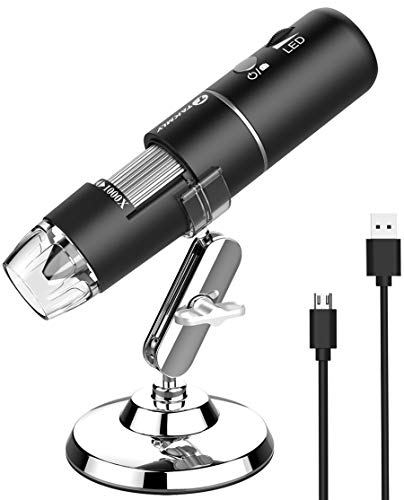

Product Review
HD Wireless Digital Microscope USB 50X to 1000X Zoom Magnification Mini Endoscope Inspection Camera
Specifications:
√Pixels: 2,000,000 pixels
√Enlarge multiple: 50-1000X
√Video Pixels: 1920*1080P, 1280*720P, 640*480P
√Imaging distance: manual adjustment(3-60mm)
√WIFI connection: 10M(open environment)
√Image format: JPG
√USB Interface Type: USB2.0
√Power supply: USB (5V DC)
√Video Format: MP4/AVI
√Dynamic Frames: 15f/s under 600 LUX Brightness
How to use?
WIFI connection for Android and IOS;
1. Download the software on the user manual from Google Play or APP Store;
2. Long press power button to turn on the microscope;
3. Connect the wifi (no password) which emits from the microscope;
4. Run the app and it is easy to use.
The USB connection on PC or Laptop
For Windows system
1. Download the app from link www.inskam.com/download/camera.zip, and install it in your PC;
2. Connect the microscope to your computer;
3. Long press the power button to turn on the microscope;
4. Run the app and it is ready to go.
For MAC system
1. Turn on the microscope and connect it to MAC terminal through the data cable;
2. Open the "Photo Booth" software in the Apple App;
3. Click on the Camera and select the GENERAL-UVC#2(default).

